Reference codes
Introduction
In Hubble some field input can be controlled to only accept a list of values in order to improve data quality. Such fields will be displayed in form of a dropdown, where the user can select the right entry, at the opposite of free fields.
Entries can be set in what is called Reference Codes in Hubble.
EXAMPLE
- For example, in Hubble, transportation mode is linked to a Reference Code, and only 5 entries are available:
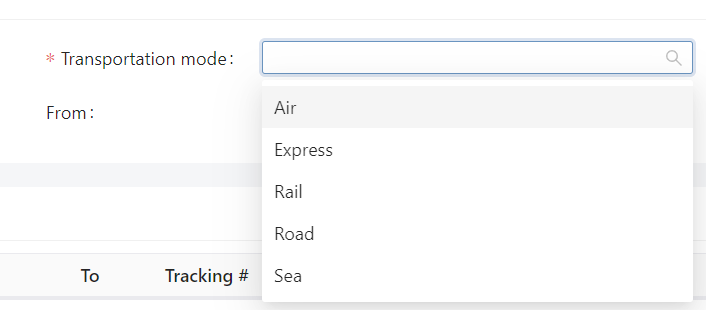
- But comment is a free input field

We can distinguish 2 types of Reference Codes:
- System codes: reference codes are pre-filled with entries, either because it's a Supply-Chain industry standard, either because it's used in Hubble logic. These pre-filled entries are common for all Hubble users, but it is still possible to add custom entries for your Company.
- Custom codes: they are empty, and should be filled specifically for your business case.
tip
Some Reference Codes would accept some parameters in order to customize Hubble's behavior
List of categories
System codes
| Category | Definition | Entries | Settings |
|---|---|---|---|
| INCOTERM | Incoterms are defined by the International Chamber of Commerce (ICC) and define the responsibilities of sellers and buyers for the sale of goods in international transactions | See the official list of incoterms. Not all incoterms are created in Hubble, please ask your System admin to create if missing. | |
| LOCODE | Locodes are normalized codes maintained by UNECE to identify places for trade and transportation | See the official list of UN/LOCODE. Not all UN/LOCODE are created in Hubble, please ask your System admin to create if missing. | |
| TRANSPORTATION_MODE | Main transportation mode used to carry the good | Sea, Road, Express, Air or Rail |
Custom codes
| Category | Definition | Settings |
|---|---|---|
| FULFILLMENT_DELAY_REASON | Reasons why an order could be delayed. Could add a filed |