More actions
The following actions are accessible to Warehouse users:

Resend
Button
To resend an order , go to More Actions -> Resend.
This option is only accessible if the order is Created or in WMS.
Process
Once you click on the button, the order will be resend to WMS. If successful, the above popup will be displayed on top of page:

Please contact you System Admin if you get the below error message:

Receiving
Initiate reception
To initiate receiving, go to More Actions -> Receive.
Access conditions:
- The warehouse is not linked to a WMS. This constraint will be ignored if the user has ADMIN role.
- The order is not Received, Partial received, Cancelled or Cancelling...
Form
After clicking the option, the below form is display at the bottom of the page:
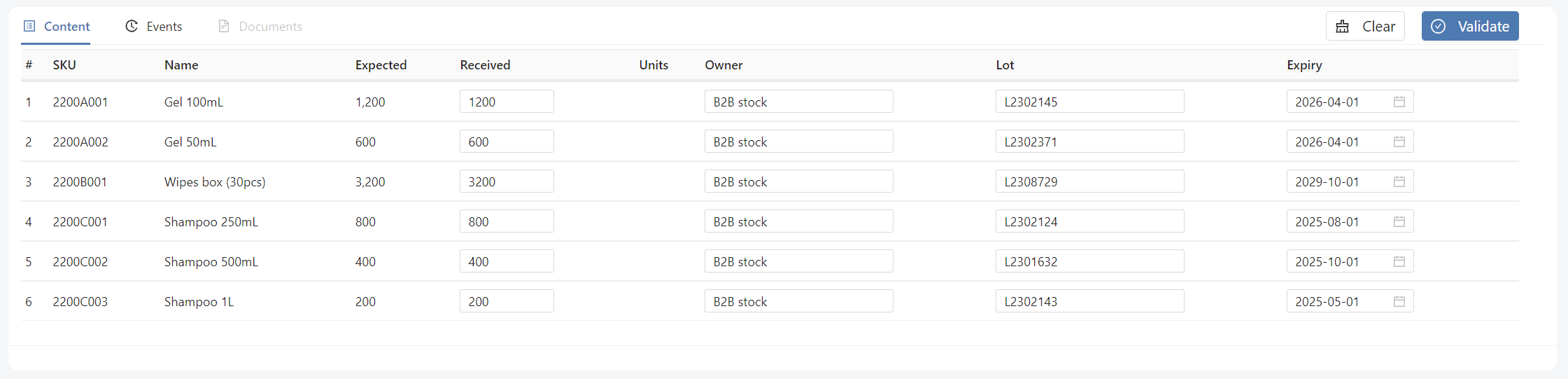
Fields are prefilled with order line data (owner, lot, expiry date), meaning that the order is supposed to be received in full (quantity received = quantity expected). But received quantities can be modified if the real quantities are lower than expected. The quantities can be reset to 0 by clicking on the Clear button.
Validate reception
Run reception
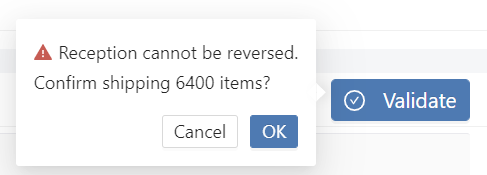
A confirm pop-up is displayed when clicking Validate button, warning the user that the action of receiving is not reversible:
Success message
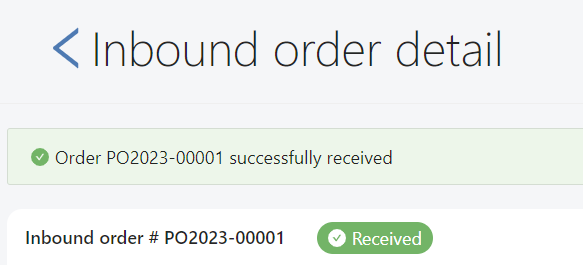
If the reception is successful, the below message is displayed at the top of the page:
For more details about reception logic, please follow this link
Cancel
Button
To cancel an order , go to More Actions -> Cancel.
This option will be only accessible if the order is not Received, Partial received, Cancelled or Cancelling....
Process
Hubble will either:
- directly cancel the order
- send a cancellation request to WMS
For more details about cancellation logic, please follow this link